> For the complete documentation index, see [llms.txt](https://docs.wavex.fi/llms.txt). Markdown versions of documentation pages are available by appending `.md` to page URLs; this page is available as [Markdown](https://docs.wavex.fi/wavex-guide/prerequisites-for-test-soneium-minato.md).
# Prerequisites for test (Soneium Minato)
## 1. Add the Soneium Minato to Your Wallet
* For the purposes of this guide, we will be using MetaMask.
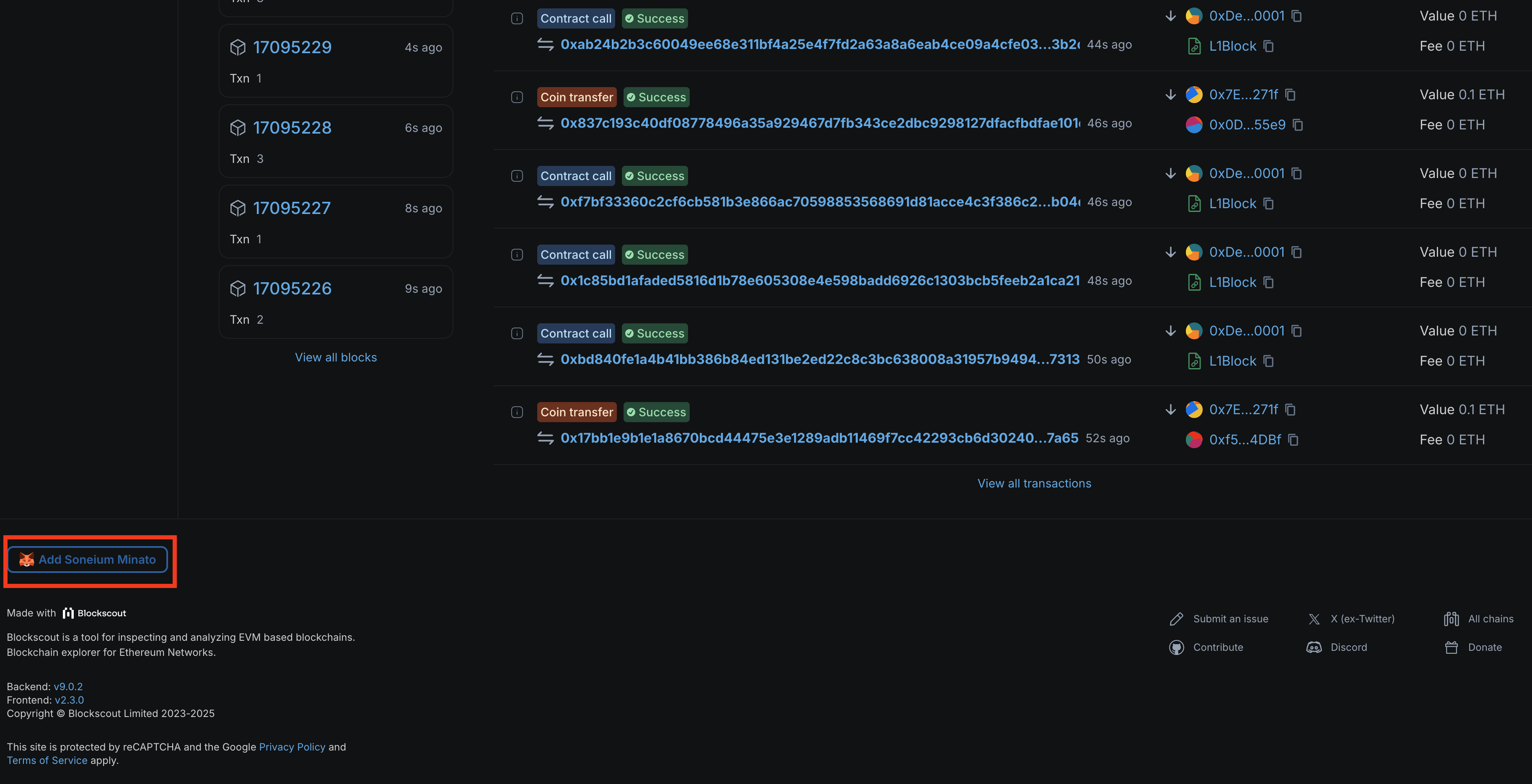
* Visit the Soneium Minato Explorer and click the ‘Add Soneium Minato’ button in the bottom left.
* Soneium Minato Explorer:
## 2. Prepare Minato ETH for Gas Fees
To use Dapps on Soneium Minato (e.g., staking, withdrawal, trading), you'll need Minato ETH. First, get Sepolia ETH via a faucet, then bridge it to the Minato network.
#### **1) Get Sepolia ETH**
* Sepolia ETH can be obtained via faucet services like Chainlink or Alchemy. You can also find faucet links in Soneium's official documentation.
* Soneium Docs:
* Chainlink Faucet:
* Alchemy Faucet:
#### **2) Bridge Sepolia ETH to Minato**
* Once you have Sepolia ETH, use the [Soneium Bridge](https://bridge.soneium.org/en/testnet) to transfer it to the Minato network.
* For more details, check the [Soneium Bridging Guide](https://docs.soneium.org/docs/users/bridging).
## 3. Claim Test Tokens
To trade on waveX or provide liquidity, you’ll need test tokens. waveX offers free test tokens, available via the Faucet page.
#### **1) Access the Faucet Page**
#### **2) Claim Test Tokens**
* Click ‘Claim’ and activate the wallet popup.
* You can claim once per day.
* Resets at 00:00 UTC.
#### **3) Confirm in Wallet**
* Click ‘Confirm’ in the popup.
#### **4) Check Tokens in Your Wallet**
* If tokens don’t appear, add the token addresses manually.
* In MetaMask, click the MetaMask icon in the Faucet page to add easily.
* For other wallets, copy the token address and add manually.